
Game guide · Colony Wars
Every button and every thing in the game, with its picture. Tap a section to open it.
The idea

The last world standing
Eight planets in one arena. Gather resources, build a colony on your planet, arm it, and fight until yours is the last one. In a timed round, the most power when time runs out wins.

Size and health
Your planet grows from the rocks it gathers. Your health is twice your size; every hit takes some away and shrinks you. At size zero you are out.

The truce
For the first two and a half minutes nobody can harm anyone. Use them to gather and build.
Moving

Steering
Drag on the screen to steer your planet. Steering by hand takes over from the autopilot for three seconds.
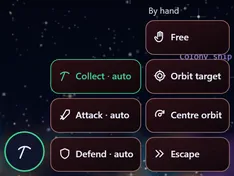
The movement button
Bottom left. It opens a fan of autopilot modes: Collect (gathers by itself), Attack, Defend, and the manual flight modes.
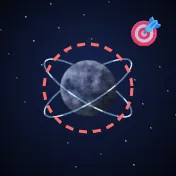
The target
Your guns fire at the nearest rival by themselves. To pick a target, tap its planet in the arena; tap it again to let it go.
The screen
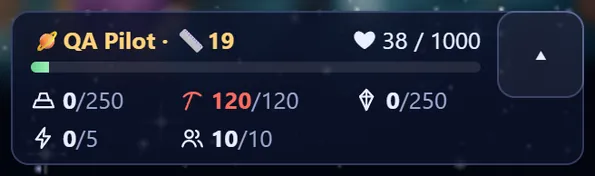
The status
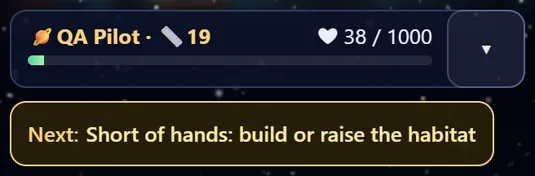
Top left: your name, size and health. Tap its arrow to see your resources, people and energy.
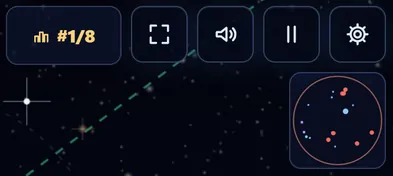
Rank and minimap
Your rank among the planets, and the minimap showing every planet and event in the arena.
Notices and the next step
Under the status, one line says the most useful thing to do now, and the notices appear below it (a building done, a ship caught). They never block your steering.
The panel

The four sections
Buildings, Research, Fight and Players. Tap a section to open it; tap again, or drag on the arena, to fold it.

The queue
Line up to six buildings or researches. The automatic queue fills itself with the best next step if you leave it on.
Lots and free hands
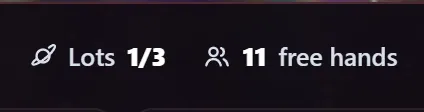
Every building needs a lot; your planet opens more as it grows. Every building also needs people to work it, so keep enough housing.

Where the panel sits
The place button inside the panel puts it along the bottom, or as a column on the right or left. Settings can change it too.
Buildings
Economy
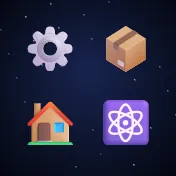
The refinery turns raw ore into metal and crystal, the depot stores more, the habitat brings people, the reactor gives energy. Each has five levels.

Weapons
The zapper (short range, hits three at once), the laser (longer), the missile base (guided missiles) and the minelayer. They fire by themselves.
Defence
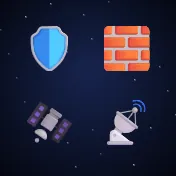
The shield soaks damage and recharges from energy, armour takes some off every hit, the interceptor shoots missiles down, and the radar makes it more accurate and shows what is coming at you.
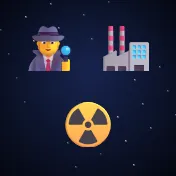
Agency and nukes
The agency readies a saboteur that wrecks a building of your target. The nuke factory and the launch base make a nuclear missile that hits everything in its circle.
Research and skills
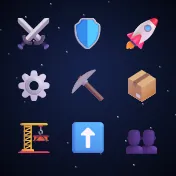
Research lines
Nine lines of five levels: attack, defence, speed, processing, extraction, storage, building, upgrading and people.
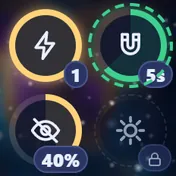
Skills
Four skills learnt in research: Overdrive, Magnet (pulls rocks in), Cloak (nobody sees or hits you) and Flare (hits and throws back everyone near). Their buttons sit beside the launchers.
Fighting
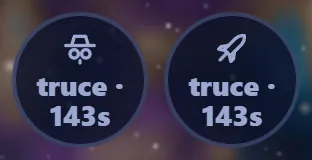
The launch buttons
The saboteur and nuke buttons, bottom right, show once their buildings stand. They fire at your target, or the nearest rival if you picked none.
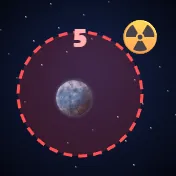
The nuke's circle
When a nuke is fired at you a red circle and a countdown appear. Get out of it fast, or let your interceptor shoot it down.
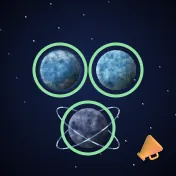
Teams and orders
In team matches you can give your team orders: follow me, attack my target, defend me, or free.
The arena and events

The lander
The first thing to do: fly to your lander and land it. It opens building and brings your first people.
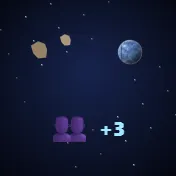
Rocks, moons and pods
Rocks carry ore and crystal and make you grow. Moons circle you and hit enemies. Pods carry people.
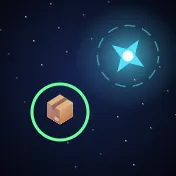
Supplies and power stars
Every so often a supply drop lands (resources, a nuke or shield charge), and power stars in the arena give speed, reach or might for 30 seconds.
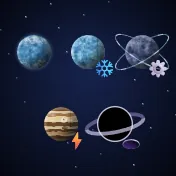
The five maps
Home is plain, Ice is slippery, Iron has heavier rocks, Storm has storms sweeping across, and Dark has a black hole in the middle.
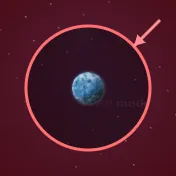
The closing ring
In a free match, after 12 minutes the arena starts to close. Outside the circle you burn, so stay in.
Online
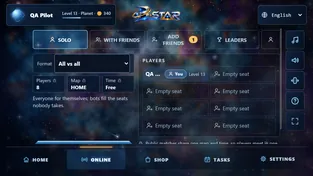
Match types
Solo (every planet for itself) and teams (2×2, 3×3, 4×4). Bots fill the empty seats.
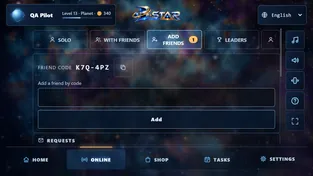
Friends and rooms
Make a room and invite your friends, or join a friend's room by its code. Add friends with the friend code shown in Account.
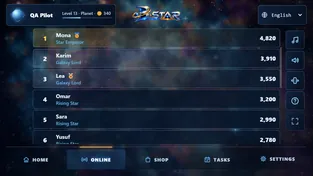
Leaders
Four lists: points, first places, destroyed and play time, this week (starting again every Monday) and all time. The first ten hold titles, and last week's first ten wear a badge.

Report and block
If someone bothers you, tap the 🚩 beside their name in a match or the result: report them, or block them so you never meet again.
Progress

Level and rank
Every match or stage gives XP. XP raises your Level (up to 30) and your rank, and each Level makes you a little stronger.
Coins and tasks
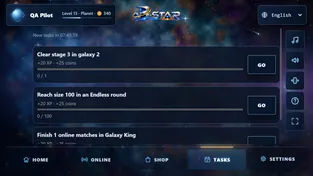
You earn coins by playing. Daily tasks give extra coins, and an optional ad doubles a match's coins.
Planet look
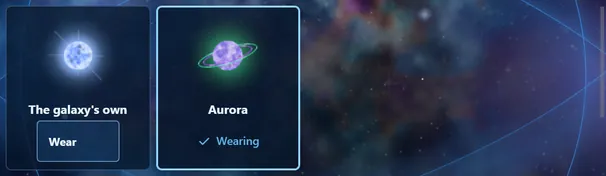
In your profile you choose your planet's look among the ones you have. Everyone sees it online, at every stage.
Revive and gifts
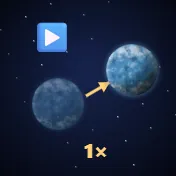
If your planet falls you can bring it back as it was a few seconds before, once a match, with an ad.
Menus and settings
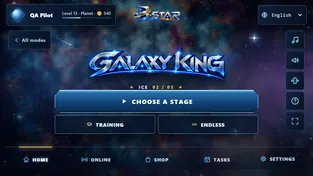
The main menu
At the bottom: Home, Online, Shop, Tasks and Settings. At the top: your name and Level (they open your profile) and the language.
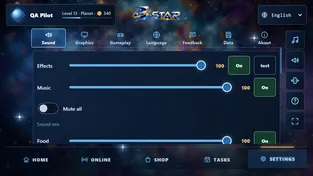
Settings
Sound, graphics (frame rate and planet size), gameplay (controls and button side), language, feedback (send us your opinion with a picture), data (privacy options and backup) and about.
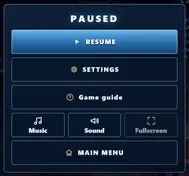
Pause
The ⏸ button (or Esc) pauses the game; from there you resume, open settings or go to the main menu.