
Game guide · Galaxy King
Every button and every thing in the game, with its picture. Tap a section to open it.
The idea
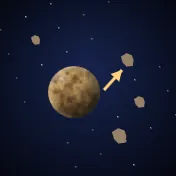
Eat and grow
You start as a small rock in space. Eat the rocks and bodies smaller than you to grow, and run from anything bigger.
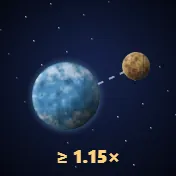
The swallow rule
To swallow something you must be at least 15% bigger. If you are about the same size you bounce off each other and both lose a little.
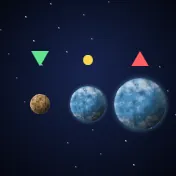
Danger colours
The mark beside each rival tells you: ▼ green you can eat it, ● yellow it is your size, ▲ red danger, it can eat you.

Evolution stages
As you grow you change: rock, dwarf planet, atmosphere world, lava world, star, blue giant. Each stage changes your look and makes one thing stronger.
Moving and controls

Steering
Touch the screen and drag toward where you want to go. On a computer move the mouse or use the arrow keys.

Dash
A quick double tap (or Shift) gives you a burst of speed for a moment, but costs 4% of your size. Good for escaping or catching prey.

The RESIST button
If a bigger body catches you in its orbit, hold RESIST to pull away little by little and escape before it eats you.

The RELEASE button
Shows while a rival is held in your orbit. It lets it fly away, if you do not want to eat it now.
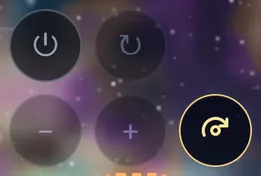
Drift
If you let go for a second and a half, your body circles the middle of the arena by itself. The small panel turns it on or off, flips its direction and widens or narrows the circle.
The screen

Score
The big number at the top. It grows with everything you eat, and each galaxy pays more than the one before.

The SIZE meter
Your size against the galaxy's limit. When it is full it says MAX, and from then on eating only adds to your score.

The NEXT meter and the gate
In the open mode, at half the size limit a gate opens for 45 seconds, once you have finished the next galaxy's stages. Enter it to move there: you start small again, but every bite is worth more.
The clock
Time played. In challenge mode the round has a clock; in free mode it shows ∞.
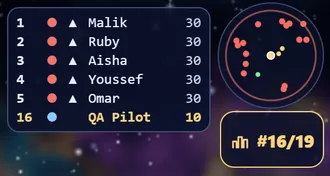
The ranking
Who is biggest in the arena right now, and where you stand.
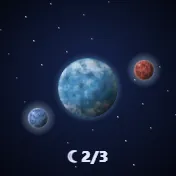
Moons
As you grow you open slots for moons. Moons drift in the arena: touch one to take it, and it circles you and hits your rivals. The ☾ sign shows how many you hold.
The corner buttons
Pause, music, sound, full screen and settings.
Dangers

Rivals
Bodies played by the computer. They eat and grow, run away, dash and use skills. Some start bigger than you.

The black hole
It appears after a while and grows with time. Anything that touches it is gone. It stays open a minute and a half, closes for a minute, and opens somewhere new. Keep out of its pull.
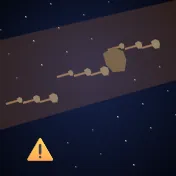
Cosmic storms
A warning and a lane show a few seconds before. It brings a lot of food, and big boulders that can eat you. Leave the lane, or use it.
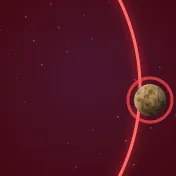
The arena's edge
Outside the circle there is radiation that shrinks you. Stay out two seconds and you are thrown back in, losing your size.

Gravity and orbits
Big bodies pull smaller ones. Pass beside one and you are caught in its orbit, spiralling in until eaten. Inside its close belt RESIST no longer works; only a dash gets you out.
Power
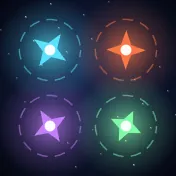
Power stars
Stars drifting in the arena; touch one to take its power for a while: Speed, Might (swallow bodies your own size), Reach (a longer pull), or Shield (saves you once).
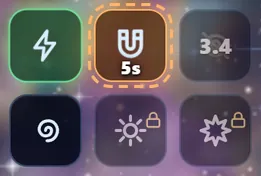
Skills
Six buttons at the bottom that open as you grow and charge while you play: Overdrive, Magnet, Cloak, Gravity Well, Solar Flare and Nuclear Burst. On a computer, keys 1 to 6.
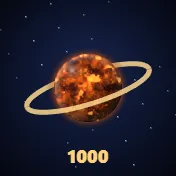
The ring
At size 1000 you gain a turning ring, and your gravity becomes twice as strong and far.
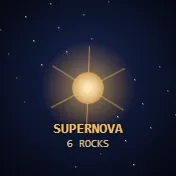
Supernovas
Eat three rocks or more within six seconds and they come back as a star that bursts and throws food around.

Wormholes
Two linked mouths open for a while. Enter one and you come out of the other at the same speed, far across the arena.
The campaign
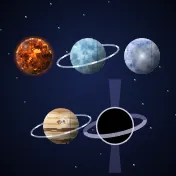
Five galaxies
Home, Ice, Iron, Storm and Dark. Each has its own look, creatures and food, and is harder than the one before.

Stages and the boss
Six stages in every galaxy; the sixth is a boss fight. Beat a galaxy's boss and you win its creature as a look to wear.

Endless mode
Clear a galaxy and its Endless mode opens: play freely, with no stages.
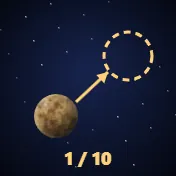
Training
Ten short lessons that teach every move. They start the first time you play; you can skip them or come back from the menu.
Online
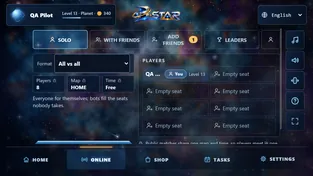
Match types
Solo (everyone for themselves), teams, duel (one against one) and race (who grows fastest on the same field).
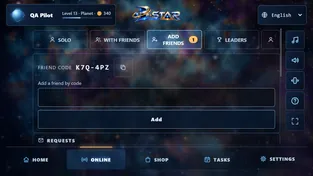
Friends and rooms
Make a room and invite your friends, or join a friend's room by its code. Add friends with the friend code shown in Account.
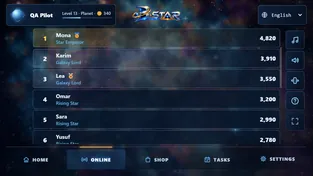
Leaders
Four lists: points, first places, destroyed and play time, this week (starting again every Monday) and all time. The first ten hold titles, and last week's first ten wear a badge.
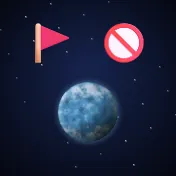
Report and block
If someone bothers you, tap the 🚩 beside their name in a match or the result: report them, or block them so you never meet again.
Progress

Level and rank
Every match or stage gives XP. XP raises your Level (up to 30) and your rank, and each Level makes you a little stronger.
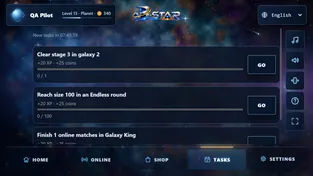
Coins and tasks
You earn coins by playing. Daily tasks give extra coins, and an optional ad doubles a match's coins.
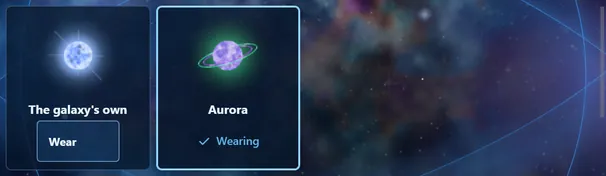
Planet look
In your profile you choose your planet's look among the ones you have. Everyone sees it online, at every stage.
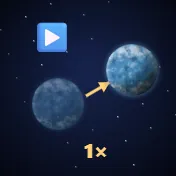
Revive and gifts
If you are eaten you can come back at your size once per galaxy with an ad. Gift boxes in the arena open after the round.
Menus and settings
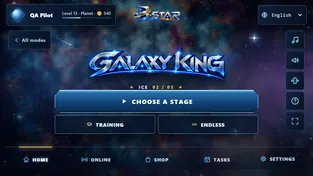
The main menu
At the bottom: Home, Online, Shop, Tasks and Settings. At the top: your name and Level (they open your profile) and the language.
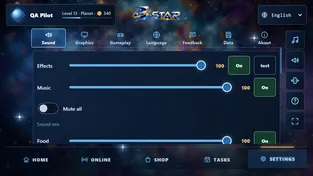
Settings
Sound, graphics (frame rate and planet size), gameplay (controls and button side), language, feedback (send us your opinion with a picture), data (privacy options and backup) and about.
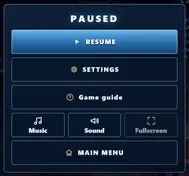
Pause
The ⏸ button (or Esc) pauses the game; from there you resume, open settings or go to the main menu.